
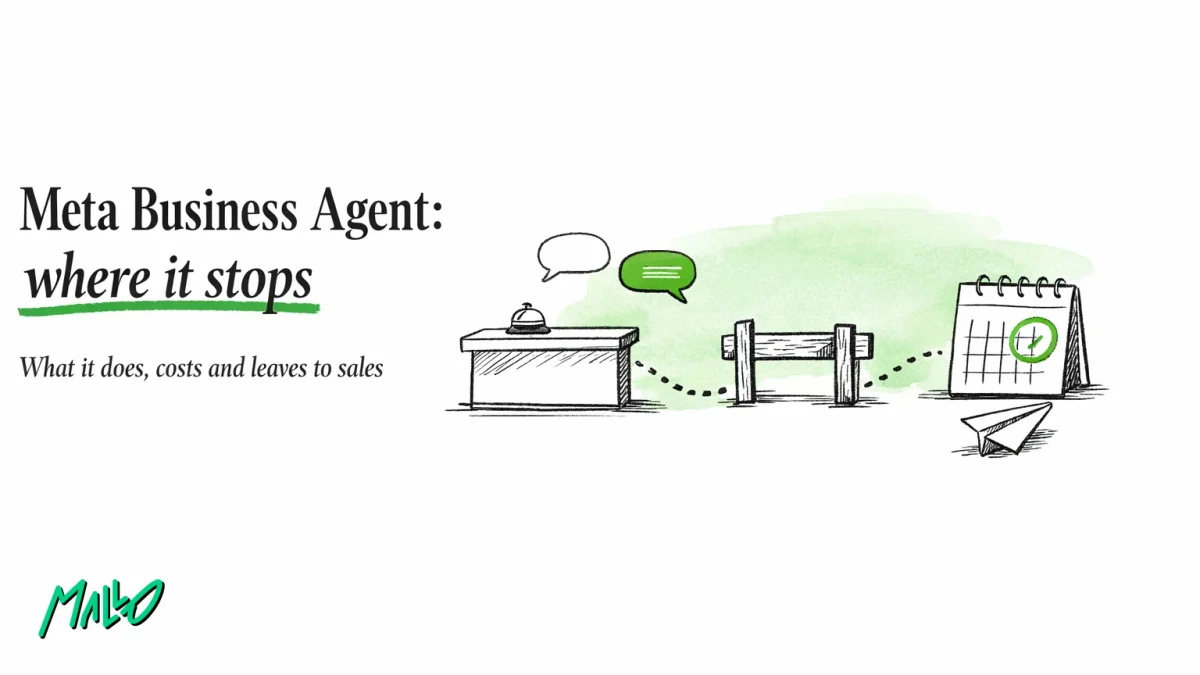
Meta Business Agent is the AI agent Meta built into its business messaging tools. It answers customers on WhatsApp, learns from what your business already publishes, and has been billed per token on the WhatsApp Business Platform since August 1, 2026.
Most pages about Meta Business Agent come from Meta itself or from vendors comparing their own pricing. This guide sticks to Meta’s documentation and answers the questions a sales manager actually asks: what the agent handles, what it will cost at your volume, whether your business is eligible, and which steps of the sales cycle it leaves to your team.
What is Meta Business Agent?
Meta Business Agent is an AI agent made by Meta that handles customer conversations for a business, 24 hours a day, inside WhatsApp. You give it knowledge about your business, define how it should respond, and decide when it passes the conversation to a person on your team.
Meta offers it in two places. Small businesses switch it on in the WhatsApp Business app, under Tools, where it learns from their Facebook Page, past chats, catalog and website. Larger companies use the Meta Business Agent Platform on the WhatsApp Business Platform (the API version of WhatsApp), with their own systems connected through APIs and webhooks, as described in Meta’s developer overview.
Think of it as a well-briefed receptionist who never sleeps. It knows your opening hours, your products and your delivery terms, and it answers whoever walks in. Meta’s pricing documentation dates the launch to July 1, 2026, and the agent replies in more than 50 languages, in the customer’s own language.
Meta Business Agent answers the customers who write to you; it does not go looking for the ones who stopped writing.
What can Meta Business Agent do for your business?
Meta Business Agent answers questions, recommends products and collects the information needed to handle a request. According to the WhatsApp Business product page, it covers opening hours and location, product and service questions, pricing details, discounts, payment and shipping.
What it learns from
- Your business information and FAQs, written once in the setup screens.
- Your website, product catalog or price lists, and documents or photos you upload.
- Your Facebook Page and past WhatsApp chats, for businesses using the WhatsApp Business app.
What you control
You set the tone and priorities of the replies, the topics the agent must avoid, and who it answers: everyone, only new customers, or only people coming from your ads. You can step into any chat by hand, and on the Platform the agent can hand the conversation off to your own app.
What it can do with your systems
On the Platform, the agent can take actions through your own APIs, and Meta gives booking an appointment or confirming a payment as examples. Meta’s platform page also lists lead generation, reservations and sales transactions among its use cases. The catch is that each action exists only if your developers build and maintain the connection to your calendar, CRM or payment system.
How much does Meta Business Agent cost?
On the WhatsApp Business Platform, Meta Business Agent is billed per token at one global rate of $2.00 per million tokens, effective August 1, 2026. Meta estimates that one message uses 20,000 to 25,000 tokens, so a reply costs roughly 4 to 5 cents. A token is a small chunk of text the AI reads or writes.
Meta Business Agent pricing, as published by Meta
| Item | What Meta says | What it means for you |
|---|---|---|
| Rate | $2.00 per 1 million input and output tokens | One global rate, no volume tiers announced |
| Typical reply | 20,000 to 25,000 tokens, about 4 to 5 cents | Short answers sit near 4 cents, rich answers near 5 |
| Simple inquiry | 4 messages, about 16 to 20 cents | A quick question about hours or delivery |
| Complex interaction | 10 messages, about 40 to 50 cents | A back-and-forth to choose a product or solve a problem |
| What is charged | Delivered business messages only | Customer messages and cache tokens are not charged |
What the free allowances do not cover
Since October 1, 2026, Meta gives each business phone number 1,000 free service messages per month and charges service messages from the 1,001st. That free tier applies to service messages, not to Meta Business Agent messages. Likewise, the free entry point window opened by a click-to-WhatsApp ad still makes message delivery free, but Meta Business Agent messages remain charged for tokens, as the pricing page states.

What a month can look like
Take a business that receives 500 inbound conversations a month from its ads, with an average of 8 agent replies per conversation. That is 4,000 replies, so between $160 and $200 in tokens at Meta’s estimate of 4 to 5 cents per reply. The bill grows with every extra question a lead asks, which is fine for support and less predictable for a sales team running ad campaigns.
To compare these token costs with template and service message rates in your markets, our WhatsApp API pricing calculator gives a monthly estimate by country.
Who can use Meta Business Agent, and who cannot?
Meta Business Agent is open to eligible businesses in selected countries, and Meta’s eligibility endpoint is the final check. On the Platform, the phone number must belong to an enterprise WhatsApp Business Platform account, with a valid business category, trust and verification in order, and no other AI agent already running on that number.
Industries Meta excludes
Meta’s developer documentation excludes several verticals from the Platform version: finance, government, health, alcohol, gambling, over-the-counter drugs and matrimony services. A business in one of these categories needs another way to put AI on its WhatsApp conversations.
Countries and features
Meta says the agent is available to eligible businesses in select markets, with more to come, and that some features may not yet be available to every eligible business. Meta does not publish a full country list on the pages we checked, so test eligibility on your own number before planning around it.
General-purpose AI on WhatsApp
Since January 15, 2026, WhatsApp’s terms restrict general-purpose AI assistants on the WhatsApp Business Platform. AI that serves your own business, such as Meta Business Agent or a sales agent answering your leads, remains allowed.
Where does Meta Business Agent stop for a sales team?
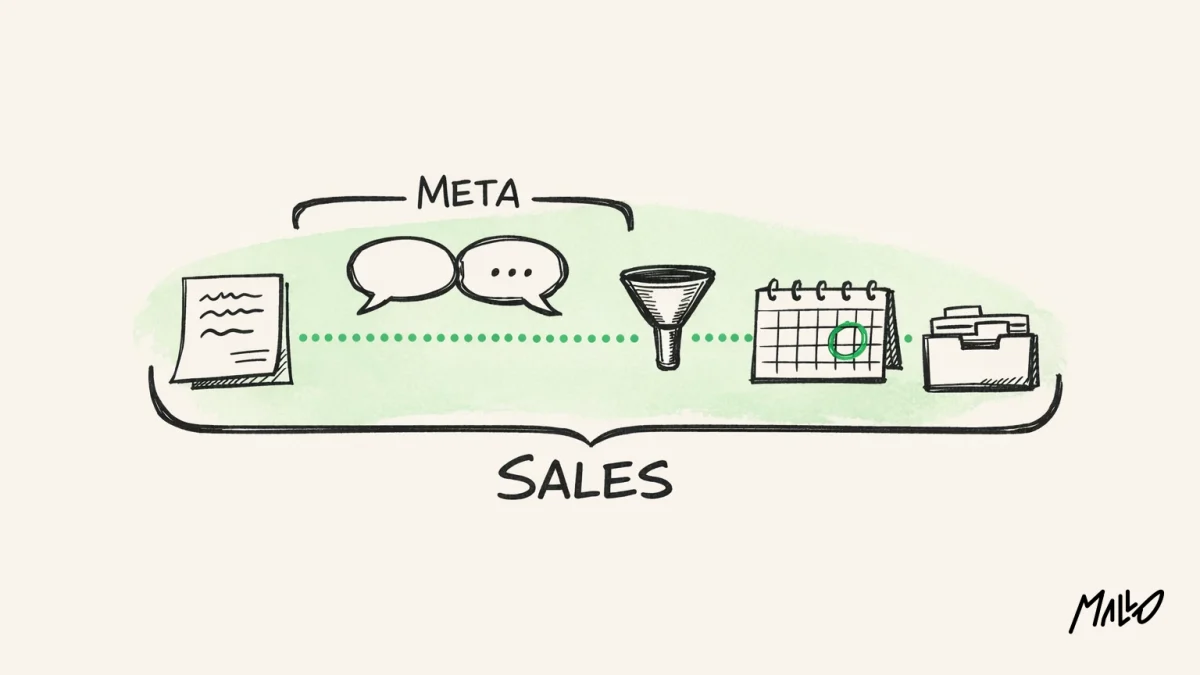
Meta Business Agent stops where selling becomes proactive. It answers people who write first, inside the 24-hour window, but it does not contact new form leads, chase silent prospects, run your qualification script on its own or keep a sales record. Each of those steps needs templates, your own integrations or another tool.
It replies, it does not reach out
Meta Business Agent messages are non-template messages, and Meta only delivers those inside an open 24-hour customer service window. A lead who fills in a form on your website has never written to you, so the first message must be an approved template. Our guide to WhatsApp template guidelines explains which category to use.
It does not chase leads who go quiet
In sales, most meetings come from the second, third or fourth message. When a prospect stops replying, the window closes and the agent goes silent with it. A real automated follow-up sequence needs scheduled templates, a stop rule and a record of who answered.
Qualification and booking depend on your developers
The agent can book or check data only through APIs you build and connect. Your qualifying criteria (budget, timing, location, property type) become a set of instructions to write, test and maintain, and the meeting only lands in a rep’s calendar if someone wires it in. For a solar installer or a real estate agency, that is a software project, not a setting.
One AI agent per number, no shared sales record
Meta requires that the number does not already run another AI agent, so you choose one agent per number. The agent also does not write a qualified lead summary into HubSpot or Salesforce for you. Without that record, your reps start every call from a raw chat history.
Answering a question is support; turning a lead into a meeting is sales, and it needs follow-ups.
Meta Business Agent or a WhatsApp sales agent: which one do you need?
The right choice depends on where your revenue comes from. If most customers write to you with questions and buy in the same chat, Meta Business Agent is a sensible start. If your revenue depends on leads from ads and forms who must be contacted, qualified and booked for a meeting, you need an agent built for that cycle.
Which agent fits your situation?
- Shop or restaurant answering questions about stock, hours and delivery
Meta Business Agent
Customers write first, the answers come from your catalog and website, and short chats keep the token bill low.
- Service business receiving form and ad leads every day
A WhatsApp sales agent
Leads must be contacted within the minute with a template, qualified, booked and followed up, which Meta Business Agent does not do on its own.
- Company in finance, health or another excluded vertical
A third-party agent on the WhatsApp Business API
Meta excludes these categories from the Platform version, so the AI layer has to come from a provider serving your business.
- Team with developers and a custom CRM
Compare building and buying
Meta Business Agent plus your own integrations is possible, but count the maintenance before you start.
If you are weighing a custom build against a ready-made tool, our comparison of building or buying a WhatsApp AI agent sets out the costs and the time each option takes.
How does a WhatsApp sales agent cover the steps Meta leaves out?
Mallo is a French platform that deploys AI agents on WhatsApp to qualify, follow up and track your leads, from first contact to booked meeting. Where Meta Business Agent waits for customers to write, the Mallo agent contacts each new lead within the minute with an approved template and takes the conversation from there.
The agent asks your qualifying questions, books the meeting in your reps’ calendars, follows up leads who go quiet with the right templates, and writes each lead with a summary into HubSpot, Salesforce or another CRM, as our WhatsApp CRM integration page shows. Your reps take over for the meeting and the signature.
Setup takes from a few hours to a few days depending on the size of the project, with a dedicated contact. Mallo comes with a free trial, then pricing depends on your lead volume and the steps the agent handles. See how the WhatsApp AI agent is configured for your industry.